Store hours signage: what to write and where to put it
Store hours signage that people read in two seconds: what to put on the door and the shutter, a copy-paste hours template, and how to keep Google in sync.
Mapkita Team8 min read
Key takeaways
- A store hours sign needs four things: the days, the hours, any break, and a way to reach you when you're closed.
- Put a copy where people see it when the shutter is down, because that is when they most need it.
- Decide your hours once, then copy them to the sign, Google, your Facebook Page and every delivery app on the same day.
- On Google, special hours cover a change of up to 6 days in a row; for a closure longer than a week, Google says to mark the business temporarily closed.
What store hours signage should say
Good store hours signage tells someone walking past, in about two seconds, whether you are open now and when you open next. Put the days, the opening and closing times, any lunch break, and a number or Page where people can reach you when the shutter is down.
That's the whole job. Leave the slogan and the long list of products for the other signs. A tired customer at 8 PM wants one answer: "bukas pa ba?"
- Days, grouped: Mon to Sat on one line, Sunday on its own if it's different.
- Opening and closing times, with AM and PM.
- Your break, if you close for one: "Closed 12:00 NN to 1:00 PM".
- Closed days, written out: "Sunday: Closed". A blank line makes people guess.
- A way to reach you: mobile or Viber number, and your Facebook Page name.
- Optional, small: "Open on holidays" or "Open on Sundays" if it's true and people often ask.
How to write business hours people read fast
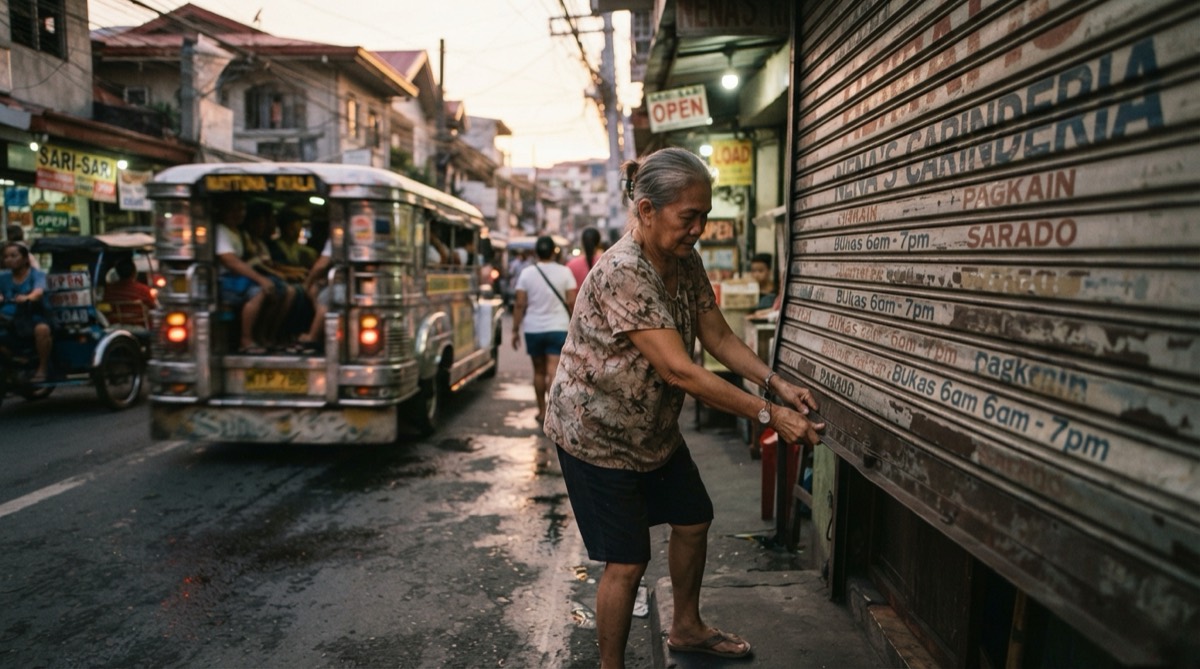
A business hours sign is read from the street, often from a jeepney or a tricycle, so the format matters more than the design.
- Use the 12-hour clock with AM and PM, the way people say the time. "7:00 AM to 9:00 PM" is what customers expect to see, not "07:00 to 21:00".
- Use the same style on every line. If one line says "7 AM" and the next says "8:30 a.m.", the eye stops.
- Make the numbers the biggest thing on the sign, dark on a light background, in one plain font.
- Write "12:00 NN" for noon and "12:00 MN" for midnight. "12:00 AM" makes people stop and think.
- If you close past midnight, say it plainly: "Fri and Sat: 5:00 PM to 2:00 AM".
- English, Tagalog or both all work, for example "Bukas: Lunes hanggang Sabado" under "Open: Monday to Saturday".
Free store hours sign templates you can copy
If you want a designed sign, Canva has editable opening hours templates. Pick a plain one with big numbers, change the days and times to yours, and download it as a PDF to print.
You don't need a design app, though. Any word processor (Word, Google Docs, WPS) makes a clear sign: set the page to A4 landscape, centre everything, use one bold plain font, around 60 pt for the times and bigger for OPEN or BUKAS, black on white, with a 2 cm margin. Print at 100% and check it from three steps away.
Copy the block that fits your shop, change the times, and print it big. Each slash marks a new line on the sign.
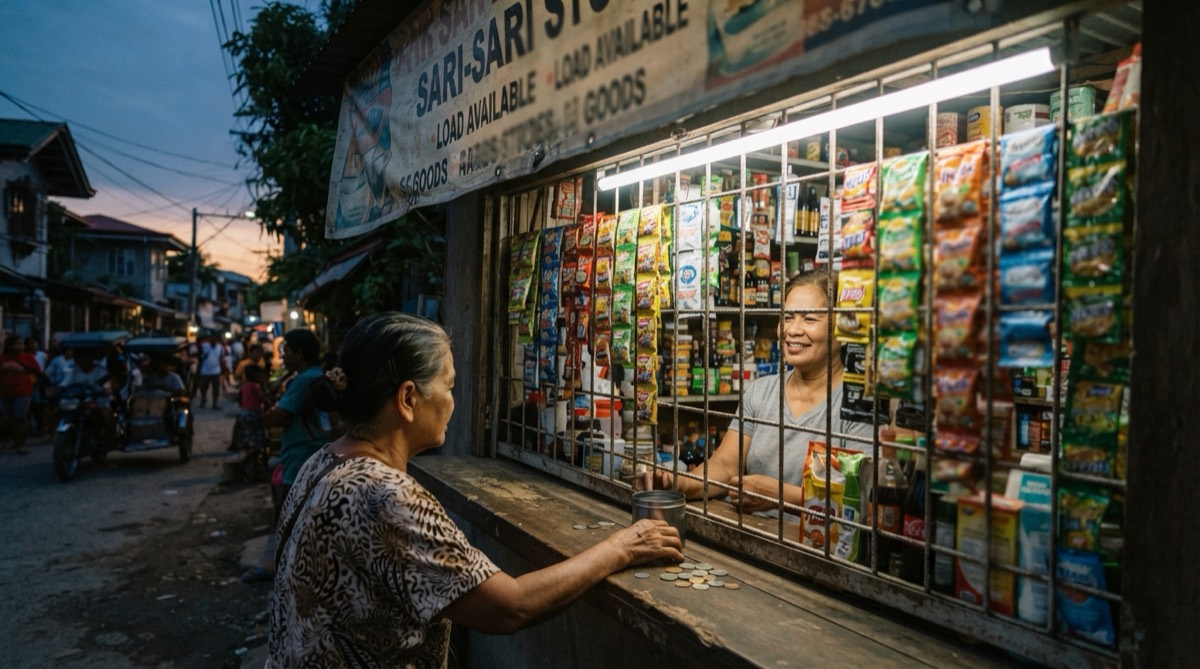
- Sari-sari store: "OPEN EVERY DAY / Mon to Sat: 6:00 AM to 10:00 PM / Sunday: 7:00 AM to 9:00 PM / GCash and Maya accepted / Text or Viber: 0917 XXX XXXX"
- Carinderia: "BUKAS PO KAMI / Mon to Sat: 6:00 AM to 3:00 PM / Sunday: Closed / Lunch served from 10:30 AM / Pa-reserve sa Messenger: [Page name]"
- Salon or barbershop: "Tue to Sun: 10:00 AM to 8:00 PM / Monday: Closed / Walk-ins until 7:00 PM / Appointments: 0917 XXX XXXX"
- Hardware or service shop with a break: "Mon to Fri: 8:00 AM to 5:00 PM / Lunch break: 12:00 NN to 1:00 PM / Saturday: 8:00 AM to 12:00 NN / Sunday and holidays: Closed"
- Holiday notice, up a week before: "HOLIDAY HOURS / Sun, Nov 1 and Mon, Nov 2: CLOSED / Back on Tue, Nov 3, 7:00 AM / Salamat po and ingat sa biyahe"
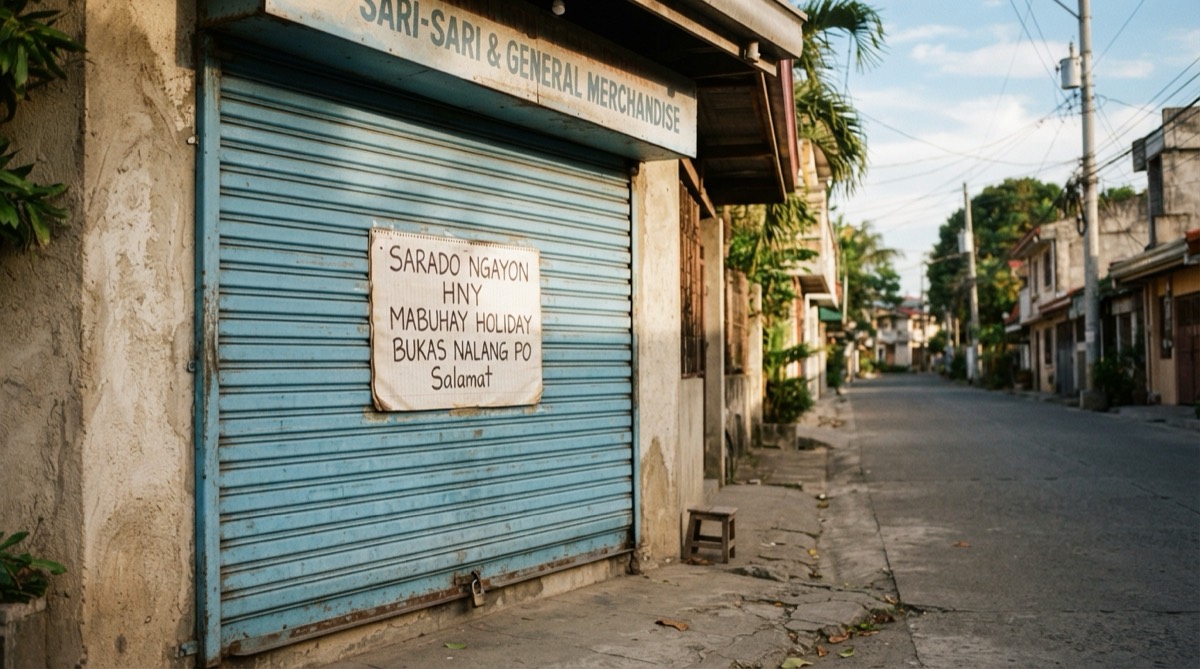
- Brownout or typhoon note for the shutter: "SORRY, CLOSED TODAY due to the brownout / Back tomorrow, 7:00 AM / Updates on our FB Page: [Page name]"
Where to put operating hours signage, including the shutter
Many shops tape their hours to the inside of the glass door. That works when you are open. When the roll-up shutter comes down, the sign disappears, and that is exactly when someone is standing outside wondering when you open.
- On the shutter itself: a weatherproof vinyl sticker or painted hours at eye level. Paper and tape won't survive the first heavy rain.
- On the door or window, at eye level, facing the street. Not behind a poster or a stack of crates.
- On a side wall or post that people see from the jeepney stop or the corner, if your door faces away from the traffic.
- Inside, at the counter: a small "We close at 9:00 PM" so regulars plan their last order.
- Check the sun. A sign that faces the afternoon sun can fade within months; replace it before it turns pale. For the rest of the storefront, see sari-sari store design.
Google business hours: one source of truth
Customers can check your opening hours in four places: the door, Google, your Facebook Page and the delivery apps. If they disagree, people trust the wrong one and find a closed shop. Decide your hours once, write them on paper, and copy them everywhere on the same day.
Google also updates profiles from other sources, such as user suggestions and reports, so your hours can change without you touching them (Google's help on updates). When a suggested edit needs your review, you have 4 days to accept or reject it, and Google may publish it anyway if your website or other public information backs it up. The holiday hours guide explains how to undo a change. Here is where to change each one, as of October 2026:
- Google: in your Business Profile, select Edit profile, then Hours, and set each day. For a lunch break, add two sets of hours for the same day with Add hours (Google's help on business hours). Google's guidelines ask for your regular customer-facing hours.
- Facebook Page: switch to your Page, open About, then Contact and basic info, and add or edit your hours (Facebook Help).
- Delivery apps: each merchant app has its own store hours setting. Change it the same day, or customers order from a kitchen that's already closed.
- Your sign: reprint it the same week. A taped-on correction looks like you're about to close for good.
- Your printed menu or flyer, if it lists hours. The menu design guide covers what else belongs on a menu.
Holiday hours in the Philippines
The rest of 2026 is full of dates that change your hours. Proclamation No. 1006 lists 1 and 2 November (Undas), 30 November (Bonifacio Day), 8 December, and 24, 25, 30 and 31 December as holidays or special non-working days for 2026 (Proclamation No. 1006). In Metro Manila, Proclamation No. 1447 adds 16 to 18 November for the ASEAN Summit. Eid holidays are declared separately, and your town fiesta is not on any national list.
For each one, decide: open as usual, shorter hours, or closed. Put a holiday notice on the door a week before, then set special hours on Google for the same dates. Google's special hours help says special hours cover a change of up to 6 days in a row, and suggests confirming your hours for official holidays even when they are the same as usual. The free holiday hours checker lists the coming dates so you can do them all in one sitting.
Brownouts, typhoons and surprise closures
A brownout, a flooded street or a typhoon signal can close you with an hour's notice. Do these, in this order, as soon as you know:
- Tape a note on the shutter with the reason and when you expect to reopen. Use the template above.
- Post on your Facebook Page and pin it: "Sarado po kami ngayon dahil sa brownout. Balik po kami bukas, 7:00 AM. Salamat sa pag-intindi."
- Set special hours on Google for that day, marked closed, and pause your store in the delivery apps.
- If the closure will run longer than a week, or you don't know when you'll reopen, Google says to mark the business temporarily closed instead, and to mark it reopened when you're back (Google's help on closures).
An open sign that actually helps
An open sign only helps if it's true. A lit OPEN sign left on after closing, or a flip sign nobody flips, teaches people to ignore it. Switch the light off when you close, and flip the sign at the same moment you lock up.
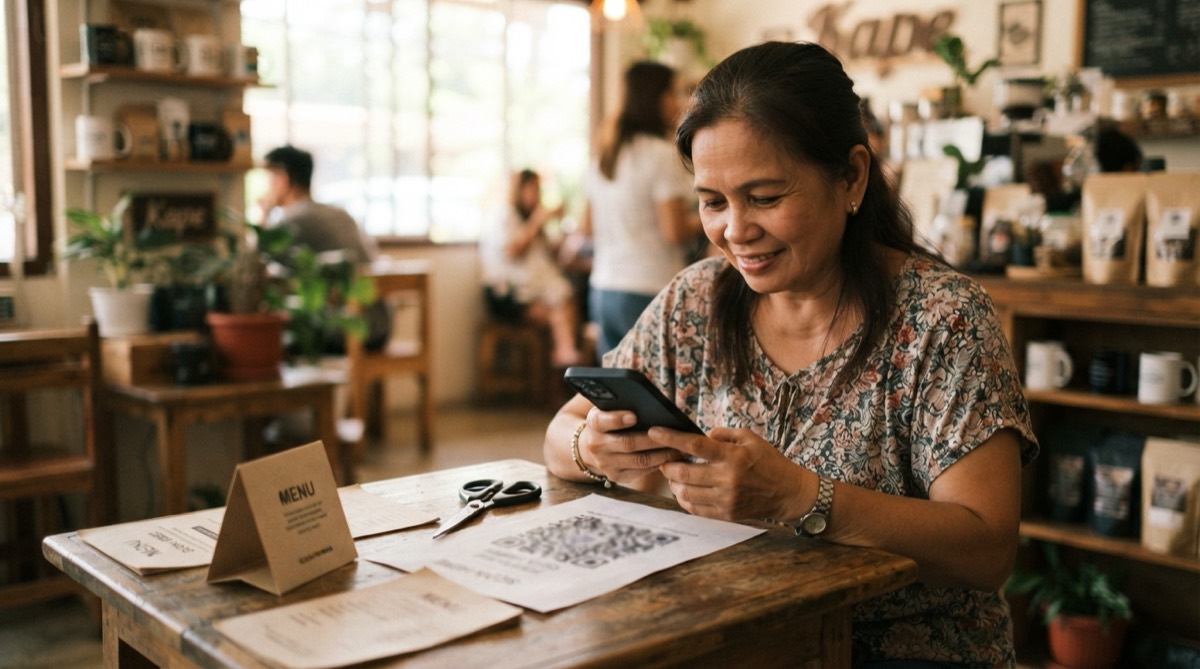
The best open signs answer the next question too. Put your hours right under the OPEN sign, or use a "Back at" clock on the door for a lunch break: "Lunch break po. Balik kami 1:00 PM." A small QR code to your Google listing or Facebook Page under the hours lets people check holiday hours later; how to make a QR code shows how to make one for free.
Frequently asked
- What should a store hours sign say?
- The days you're open, grouped, the opening and closing times with AM and PM, any break, the days you're closed, and a phone number or Facebook Page for when the shutter is down.
- How do I write business hours with a lunch break?
- Write the break as its own line, such as "Lunch break: 12:00 NN to 1:00 PM". On Google, add two sets of hours for the same day, one before and one after the break.
- How do I change my business hours on Google?
- In your Business Profile, select Edit profile, then Hours, set each day and save. For a holiday or a one-day change, add special hours for that date instead of changing your regular hours.
- Should I mark my business temporarily closed during a typhoon?
- Not for a day or two. Set special hours marked closed for those dates. Google says to use temporarily closed when you'll be closed for more than 7 days or don't know when you'll reopen.
- Where should I put my store hours sign?
- On the door at eye level, and also on the shutter or a side wall so people can read your hours when you're closed. Use a weatherproof sticker or paint outdoors.
Let Mapkita do this for you
Mapkita keeps your Google page right, drafts every review reply and asks you before anything goes public. Start with a free check.