Grab merchant ratings: how GrabFood reviews work
How Grab merchant ratings are calculated, where to read and reply to GrabFood reviews in the merchant app, reply templates, and how to report unfair reviews.
Mapkita Team6 min read
Key takeaways
- Grab's merchant help center says your store rating is the average of all customer ratings from the past 12 months.
- Customers rate delivery and dine-in separately; delivery reviews are about packaging and the condition of the food when it arrives.
- You reply from the Feedback tile in the GrabMerchant app, for delivery reviews only for now, and you can edit a reply within 72 hours.
- Grab removes reviews that are offensive, spam, false, contain personal details or are really about the rider, but not complaints about taste or portions.
How Grab merchant ratings work
As a Grab merchant, your store rating is the average of all customer ratings from the past 12 months, according to Grab's ratings and reviews help page for the Philippines. Customers see that average and your number of ratings on your store's thumbnail in the Grab app, before they open your menu (Grab).
Only verified users can leave reviews, and every review must follow Grab's Review Guidelines, which ask for honest, truthful reviews and ban fake or misleading content. As of October 2026, customers rate two kinds of experience separately:
- Delivery reviews: packaging and the condition of the food on arrival.
- Dine-in reviews: service, ambiance and the overall experience, if your outlet also takes dine-in customers through Grab.
- Where to see both: open the GrabMerchant app, tap the Feedback tile, then Ratings and reviews.
What moves your GrabFood rating
Delivery reviews judge the food when it reaches the customer, not when it leaves your kitchen. They also judge your menu: a photo that looks bigger than the plate invites a two-star "maliit ang serving", so make photos and descriptions match the real serving. Our guides to food photography and menu design help here.
Some merchants also see Your Quality Score in the Feedback section, which Grab is testing with select merchants. It combines on-time preparation, order fulfilment, safety incidents, order quality and customer ratings from the last 30 days. You need at least 30 orders in that period to get a score, and only you and your team can see it (Grab).
Whether or not you have that score, the causes of low stars are usually the same. Grab's own tips on missing items and spills cover them:
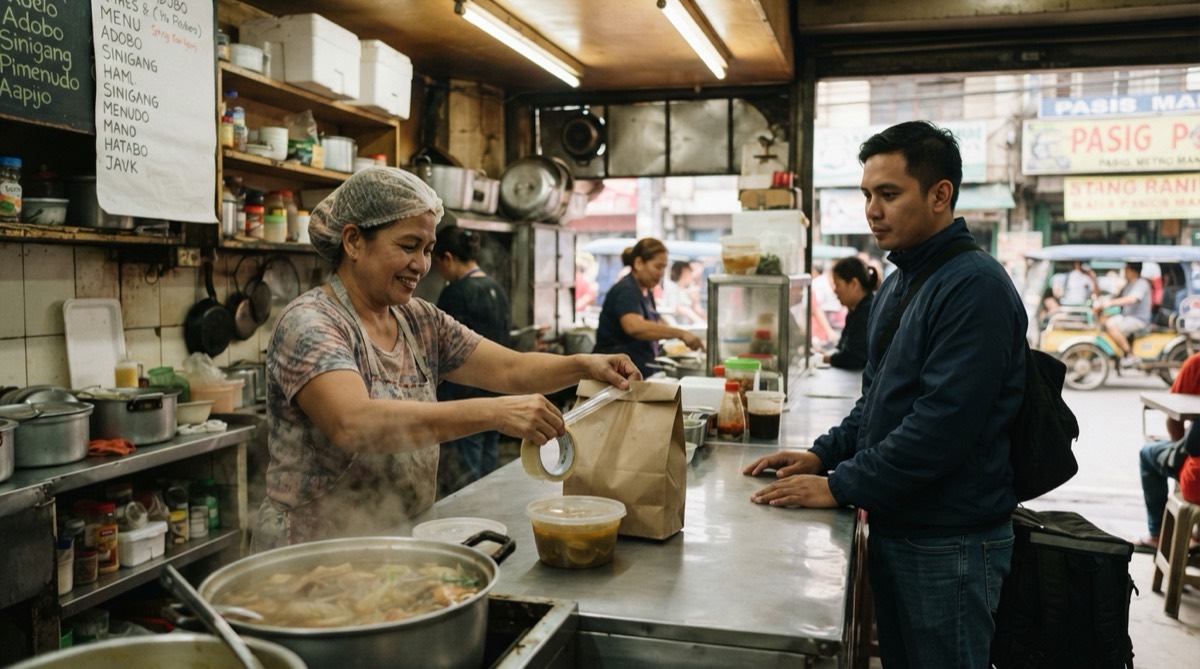
- Check every order against the receipt before handover, and label bags when one order has several dishes.
- Use spill-proof containers, seal soups and sauces, and pack hot and cold items apart.
- Keep the menu current: mark sold-out dishes unavailable instead of sending a substitute the customer didn't choose.
- Prepare on time, so food doesn't sit and go soggy while the rider waits.
GrabFood 5-Star Eats: the rating Grab rewards
Grab's 5-Star Eats program gives top-rated merchants a badge on their store and more visibility in the Grab app. Grab evaluates it at brand level, across all your branches, and it uses your lifetime rating, not the 12-month store rating in the app. The criteria on Grab's page, as of October 2026:
- Lifetime ratings of 4.5 stars or higher.
- At least 100 ratings.
- A Store Completion Score of 85% or higher across all branches over the last 90 days.
- Zero safety incidents across at least 95% of the brand's branches over the last 90 days.
- Grab has also run a Probationary Tier in cycles for brands that are close: 4.5 stars, at least 80 ratings and a Store Completion Score of at least 70%. Cycle 2 ran from July 13 to August 31, 2026 and was reviewed on September 1, so check Grab's page for the next cycle.
How to reply to GrabFood reviews in the Grab merchant app
On a delivery order, the reply is often the only place you talk to that customer, and every other customer reads it too. In the GrabMerchant app, go to Ratings and reviews, select the review, tap Reply, type your response and tap Submit. As of October 2026, replies work for delivery reviews only; Grab says dine-in replies are coming. You can edit a reply within 72 hours of submitting it: select it, tap Edit Reply, change it and tap Done.
Keep it short and specific, and follow the Review Guidelines: no personal details and no arguing. For a hard one, paste it into the free review reply generator and edit the draft.
- 5 stars, English: "Thank you for ordering the chicken inasal meal. Glad it arrived hot. See you next payday!"
- 5 stars, Taglish: "Salamat po sa 5 stars! Masaya po kami na nagustuhan niyo ang sisig. Order ulit po kayo!"
- 3 stars, portion, Taglish: "Salamat po sa feedback. Tama po kayo, mas konti ang kanin kaysa sa picture. Inayos na po namin ang serving at pinalitan ang photo sa menu."
- 1 star, missing item, English: "We're sorry the extra rice was missing. That was our mistake at packing. We now check every bag against the receipt before it goes to the rider."
- 1 star, spilled soup, Taglish: "Sorry po na natapon ang sabaw. Sealed container na po ang gamit namin ngayon, at hiwalay na ang plastic ng sabaw."
- Complaint about the rider, English: "Sorry the delivery didn't go well. We've passed this on to Grab. Thank you for ordering from us, and we hope the food itself was good."
How to report an unfair Grab food review
Grab removes only reviews that break its guidelines. Reviews about taste, preparation or portions stay up, so answer those with a reply.
Two related fixes first. If a negative or wrong review snippet shows on your store, take a screenshot, note the menu item, and contact Grab Support through the Help Centre in your app. Grab says to allow up to three business days (Grab). Complaints that became incidents, such as a missing item with a refund, sit under Feedback, then Incidents, for 90 days. You can use the Appeal Incident button within 7 days (Grab).
To report a review, open the Feedback tile, tap What does this mean at the top of the screen, and follow the steps. Grab's help page says you can report reviews that contain:
- Hateful, offensive or sexual content, including threats and discrimination.
- Spam, irrelevant information, or ads for other merchants.
- False information, such as complaints about items the customer didn't order or wrong prices.
- Personal information, like names, addresses or phone numbers.
- Feedback meant for the driver or the platform rather than your food or service.
A weekly GrabFood rating routine
The point of a routine is to catch a mistake the second time it happens, before it becomes a pattern in your reviews.
- Every day after the lunch and dinner rush: open Feedback, read new reviews and reply the same day.
- Monday: list every review under 4 stars from the past week, group them by cause (missing item, spill, portion, late) and fix the top one with your team.
- Check Incidents and appeal anything wrong before the 7-day window closes. Grab notes the Incidents feature isn't on the GrabMerchant Portal yet, so use the app for this even if you manage the menu on a laptop.
- Before weekends and the paydays on the 15th and 30th: take sold-out items off and check that prices and photos are current.
- In rainy season: stock sealed containers and double-bag soups.
- Once a month: compare your rating and rating count with the 5-Star Eats targets.
The same customers may check Google Maps
Customers who like your food on Grab may also look you up on Google Maps before they visit or order again. If your hours, menu photos or name differ from one place to the other, people notice. Keep them the same, and answer reviews on Google the way you answer them on Grab. The local SEO playbook for restaurants and carinderias covers the Google side. Also on foodpanda? Here's how foodpanda merchant ratings work.
Frequently asked
- How is the GrabFood merchant rating calculated?
- Grab's merchant help center says your store rating is the average of all customer ratings from the past 12 months. Customers rate delivery and dine-in experiences separately.
- Where do I see reviews in the GrabMerchant app?
- Open the GrabMerchant app, tap the Feedback tile, then Ratings and reviews. Incidents, such as missing-item complaints, are under Feedback, then Incidents.
- Can I edit my reply to a GrabFood review?
- Yes, within 72 hours of submitting it. Select the reply, tap Edit Reply, make your changes and tap Done.
- Will Grab remove a bad review about taste?
- No. Grab removes reviews that are offensive, spam, false, contain personal information or are meant for the driver or platform. Reviews about taste, preparation or portions stay up.
Let Mapkita do this for you
Mapkita keeps your Google page right, drafts every review reply and asks you before anything goes public. Start with a free check.